 How to use
How to use › Card search
Search & filters
The search panel is split into a text search box and detailed filters grouped by category.
- 1Type a card name or other keyword in the text box (suggestions appear for card names)
- 2Press the Search button on the right, or Enter, to apply it
- 3To narrow further, open a category such as General, Pokémon, Attack or Tag and choose the buttons you need
- 4Press Clear to start over (display settings are kept)

- Text search covers card names, abilities, attack names and effect text. Separate words with "/" for an OR search.
- The ID search inside General takes input like A1_001 or A1 001.
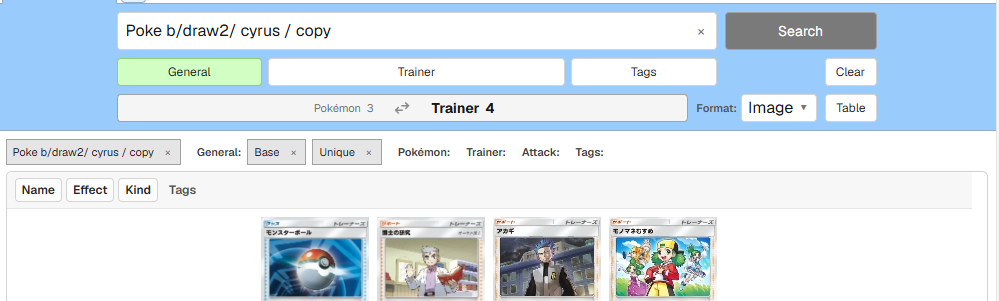
- Text input is not applied to the table until you press Search. Buttons such as type or rarity, and numeric ranges, take effect the moment you press them.
- HP, retreat cost, attack damage and similar values are set with lower and upper bound dropdowns.
- A category button changes color while anything inside it is selected. To clear only the filters in one category, use "Reset this category" inside the panel.
Selected conditions are listed as labels above the table. Click a label to remove just that condition.
Related guides